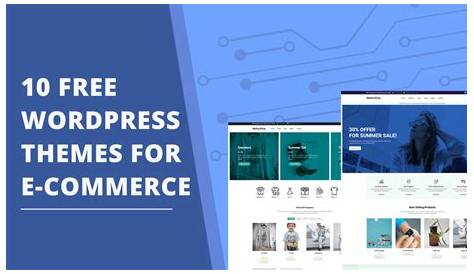
Choosing the right WordPress ecommerce theme is crucial for small business owners ready to start selling online but feeling overwhelmed by options and technical details. The best themes keep things simple, load quickly, work well on phones and tablets, and integrate smoothly with WooCommerce—the leading ecommerce plugin for WordPress. Picking a theme that meets these needs helps you avoid frustration, creates a better shopping experience for your customers, and supports your business growth from day one.
What makes a WordPress ecommerce theme good for small businesses?
For small businesses, a great WordPress ecommerce theme offers a balance between ease of use and the key features needed to sell effectively. Simplicity is essential—you want a theme that’s easy to set up and navigate for both you and your customers. Mobile responsiveness is a must because many shoppers use phones and tablets; your theme should automatically adjust to different screen sizes without extra effort. SEO friendliness is also critical, so your products can be found on search engines; this means clean code, fast loading, and compatibility with popular SEO plugins. Compatibility with WooCommerce is important since it handles product listings, payments, and more. Reliable support and regular updates keep your site secure and working as WordPress changes. Avoid themes stuffed with unnecessary features, which can slow your site and make it harder to manage. Instead, choose themes that focus on your current needs while allowing room to grow.
How does WooCommerce compatibility influence your theme choice?
WooCommerce is the most popular ecommerce plugin for WordPress because it’s free, flexible, and supports many extensions. Choosing a theme fully compatible with WooCommerce ensures that key features like product pages, shopping carts, and checkout work smoothly and look polished right away. Some themes are built specifically for WooCommerce and include custom templates and styling that match its functions perfectly, reducing layout problems or broken features after updates. Themes without WooCommerce support often require extra tweaks and can cause glitches, making your store less stable and harder to maintain. Because WooCommerce manages critical tasks like payments and inventory, picking a compatible theme makes your store easier to run and better for customers.
Which WordPress ecommerce themes are best for small businesses?
Several WordPress ecommerce themes stand out for small businesses by combining ease of use, good design, and strong WooCommerce support. Astra is a top choice: it’s lightweight, fast, and offers a capable free version with premium options for more customization. Its simplicity suits beginners while allowing style tweaks. Storefront, created by the WooCommerce team, is another solid pick. It’s minimal and works perfectly with WooCommerce, though it’s less flashy and may need plugins or child themes for more design features. OceanWP provides more built-in design flexibility and ecommerce-specific demo templates, useful if you want a particular look without starting from scratch. The trade-off with feature-rich themes like OceanWP is sometimes a steeper learning curve and possible slower performance if you enable too many extras. Overall, these themes offer solid foundations that small businesses can build on, balancing performance, ease, and style.
Can I customize these themes without being a developer?
Yes, most popular WordPress ecommerce themes are designed for users without coding skills. They usually include customization options in the WordPress Customizer or theme settings panel, so you can adjust colors, fonts, layouts, and more without touching code. Many themes work well with drag-and-drop page builders like Elementor or Beaver Builder, which let you design pages visually. For example, Astra integrates smoothly with these builders, making it easier to create unique product or landing pages. While advanced changes—like editing template files or adding complex features—might require coding knowledge or hiring help, you can launch and manage a professional-looking store using available tools, templates, and simple settings. Starting with a theme that offers clear controls and good documentation will save you time and frustration.
How important is mobile responsiveness for my online store?
Mobile responsiveness is essential because many shoppers use smartphones and tablets. A theme that isn’t mobile-friendly risks losing customers who get frustrated by hard-to-read text, tiny buttons, or slow pages on their devices. Responsive themes adjust layouts, images, and navigation automatically to fit smaller screens, so your store looks good and works smoothly on any device. Most modern ecommerce themes like Astra, Storefront, and OceanWP include mobile responsiveness and have been tested on various devices. Still, it’s wise to preview your site on phones and tablets before going live. When your theme handles mobile well, customers find it easier to browse, add items to the cart, and complete purchases, which can boost sales. Ignoring mobile design creates unnecessary barriers that drive shoppers away.
What should I know about SEO when picking an ecommerce theme?
An SEO-friendly ecommerce theme gives your store a strong starting point to appear in search results. Look for themes with clean, well-structured code that follow WordPress best practices, helping search engines crawl your site effectively. Themes optimized for speed and mobile responsiveness also boost SEO since page load times and mobile usability affect rankings. Check whether the theme supports popular SEO plugins like Yoast SEO or Rank Math, which let you add metadata, control sitemaps, and improve optimization. Avoid themes with excessive scripts or poorly coded features that slow your site and harm SEO. Although a theme is just one part of SEO, starting with a well-built theme improves your chances of better rankings and more organic traffic.
How do theme performance and loading speed impact my store?
Performance and loading speed shape how visitors experience your store and whether they stay to buy. Lightweight themes that avoid heavy code and unneeded features load faster, reducing bounce rates and increasing the chance of sales. Small ecommerce stores especially benefit from quick access to product pages and checkout. Themes like Astra and Storefront are known for speed because they focus on essentials and let you add only what you need. On the other hand, themes packed with many built-in features or heavy visuals can slow your site, especially if you use shared hosting or have a large product catalog. Fast-loading sites also help SEO, since search engines prefer quick pages. To keep your store running well, pick a lightweight theme and use caching plugins and optimized images.
Are there any hidden costs tied to these themes?
Even free themes can come with extra costs, so it’s good to be aware. Many popular ecommerce themes offer premium versions with more features, advanced customization, or priority support, which come at a price. You might also need paid plugins for payment gateways, shipping calculators, or marketing tools not included with the theme. Support fees can add up if you want help beyond community forums. Some themes depend on page builders or tools that have premium tiers. Before committing, list the features you need and check the costs of extras. Starting simple and adding paid components only as your business grows helps keep expenses manageable.
How do I avoid common mistakes when choosing an ecommerce theme?
A frequent mistake is picking a theme loaded with features you don’t need, which can slow your site and complicate management. Another is ignoring how often the theme gets updated; themes without regular updates risk compatibility problems and security issues. Overlooking plugin compatibility, especially with WooCommerce, can cause broken functions or extra troubleshooting. Some store owners choose themes based on looks alone, neglecting performance or mobile responsiveness, which harms user experience. To avoid these issues, choose themes with good reputations, active development, and ecommerce focus. Test demos on mobile devices and read user reviews to get honest feedback. Also, consider your ability to customize or maintain the theme so you don’t hit roadblocks later.
What are the next steps after picking my WordPress ecommerce theme?
After picking your theme, install and activate it on your WordPress site. Then add essential plugins like WooCommerce for ecommerce features, an SEO plugin such as Yoast SEO, and a caching plugin to improve speed. Configure WooCommerce settings for payments, shipping, and taxes to match your business needs. Customize your theme’s look through the Customizer or page builders, focusing on your branding and clear product displays. Build key pages like shop, product categories, about, and contact pages. Before launching, test your site on different devices to ensure everything works well, especially checkout and mobile responsiveness. Finally, set up a plan for regular updates and backups to keep your store secure and running smoothly. Taking these steps carefully helps you launch confidently and maintain your store as it grows.
Conclusion
Start by choosing a WordPress ecommerce theme that is simple, fast, and designed to work well with WooCommerce. Avoid flashy but bloated themes that slow your store and cause headaches. Your goal is a clean, mobile-friendly site that loads quickly, ranks decently in search engines, and offers a smooth shopping experience. Once your theme is in place, focus on setting up WooCommerce, optimizing product pages, and keeping your site reliable. This straightforward approach helps you build your online store without unnecessary complexity or cost.
Frequently Asked Questions
Can I switch WordPress ecommerce themes without losing my products?
Yes. Your products and data are stored in WordPress and WooCommerce, not the theme. Switching themes changes your store’s appearance but won’t delete your products. Still, always back up your site before major changes to avoid any surprises.
Do I need to know coding to use WordPress ecommerce themes?
Usually not. Most themes offer easy customization tools to change colors, fonts, and layouts without coding. Advanced changes might require some coding know-how, but you can launch and run a simple store without it.
Are free ecommerce themes good enough for small businesses?
Many free themes provide solid basic features that work well for small stores, especially when paired with WooCommerce. They’re a good place to start, with premium upgrades available if you want more options or support later.
How do I test if a theme is mobile responsive?
You can preview your site on smartphones and tablets or resize your browser window to see how the layout adjusts. Browser developer tools and online simulators can also show how your site looks on different screen sizes.
What if my chosen theme isn’t updated regularly?
Themes without frequent updates may stop working well with new WordPress or WooCommerce versions, leading to security risks or broken features. It’s best to pick themes with active developers and regular updates to keep your store safe and smooth.