Protecting your WordPress ecommerce store from hackers is essential because your site holds sensitive customer data and processes payments. Without proper security, you risk exposing personal information and losing customer trust. This guide covers simple, effective steps—from securing your login and using the right plugins to safe payment processing, regular updates, backups, and monitoring—that help keep your store safe and your customers confident.
Why is my WordPress ecommerce site a target for hackers?
Ecommerce stores are attractive to hackers because they handle sensitive data like customer names, addresses, and payment details. Criminals seek this information to commit fraud or sell it illegally. Attackers might also try to disrupt your store's operations, steal inventory data, or spread malware to visitors. Since many ecommerce sites use WordPress with similar plugins, hackers often exploit common vulnerabilities. Securing your site protects both your business and your customers’ privacy and trust.
How can I strengthen my WordPress login to keep intruders out?
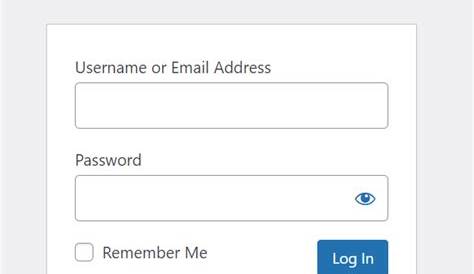
Your login page is often the weakest point for attacks, so securing it is critical. Use strong, unique passwords for all admin accounts and avoid reusing them elsewhere. Enable two-factor authentication (2FA) to require a second verification step, like a code sent to your phone, making unauthorized access much harder. Limit login attempts to block repeated failed tries common in brute-force attacks. Changing or hiding your login URL can reduce automated attacks, though it shouldn’t be your only defense. Together, these measures create strong protection around your admin area.
Which security plugins are proven to work well for ecommerce stores?
Several plugins help protect WordPress ecommerce sites from common threats. Wordfence provides a firewall and malware scanning, blocking suspicious traffic before it reaches you. Sucuri offers malware cleanup and performance tools as part of a full security suite. iThemes Security strengthens your site by enforcing strong passwords, limiting login attempts, and monitoring file changes. For ecommerce-specific needs, WooCommerce Security adds features like blocking fraudulent orders and scanning payment processes for vulnerabilities. While no plugin guarantees complete safety, combining a few complementary ones can greatly reduce risk.
What are the best ways to secure payment transactions on my site?
Start by installing an SSL certificate to encrypt data between your customers and your site, which browsers indicate with a padlock icon. Then, use trusted payment gateways like Stripe or PayPal that process payments securely off your site and comply with PCI DSS standards. PCI DSS (Payment Card Industry Data Security Standard) sets requirements to protect card data; even if you don’t store card details directly, your site must maintain basic security to meet compliance. Avoid storing sensitive payment info on your site unless absolutely necessary, and keep all payment-related plugins up to date.
How often should I update WordPress, themes, and plugins, and how do I do it safely?
Regular updates close security gaps by patching vulnerabilities hackers could exploit. Apply updates shortly after they’re released, once you’re sure they won’t break your store—usually within a few days. To be cautious, test updates on a staging site if you have one, or schedule them during low-traffic times. Always back up your site before updating so you can restore it if needed. Some hosting providers offer automated updates with rollback options, which can make this easier. Avoid delaying updates to keep your site secure.
What kind of backups do I need to protect my store’s data?
Frequent backups are essential for recovering from breaches, data loss, or errors. For ecommerce stores, back up daily or more often depending on sales volume to minimize lost data. Store backups off-site—like on Amazon S3 or Google Drive—to protect them if your server is compromised. Your backups should include both website files and your database, which contains orders and customer info. Test backups occasionally by restoring them on a staging site to verify they work and ensure you can recover quickly when needed.
How do I monitor my site for suspicious activity or breaches?
Monitoring helps you catch security issues early. Many security plugins alert you to suspicious login attempts, file changes, or malware. Google Search Console can warn you if your site is flagged for malware. Look out for unusual signs like sudden drops in traffic, unexpected new users, or unfamiliar files on your server. Check server logs regularly to spot attack patterns. Set up email or SMS alerts for critical events so you can respond promptly instead of finding out about problems days later.
What immediate steps should I take if I suspect my site has been hacked?
If you think your store is compromised, act quickly but calmly. Take your site offline or enable maintenance mode to limit further damage. Change all admin passwords immediately and ask your hosting provider to scan for malware or unauthorized access. Restore your site from the most recent clean backup if possible. Review security logs to find how the breach happened and fix those weaknesses by updating plugins or tightening login security. Notify customers if their data might be exposed, following legal requirements. For complex breaches, consider hiring a security expert.
Are there specific hosting features or providers better suited for ecommerce security?
Choose hosting providers that offer features like automatic daily backups, server-level firewalls, malware scanning, and SSL management. Managed WordPress hosts often take care of updates and security optimizations, reducing your workload. Some specialize in ecommerce hosting with PCI-compliant environments, helping you maintain payment security standards. Good hosts provide fast support during emergencies and isolate your site from others to prevent cross-site issues. Picking a host with a strong security focus tailored to ecommerce needs is a wise investment.
How do I educate my team or staff about ecommerce security best practices?
Security depends on everyone using your site responsibly. Train your team to recognize phishing emails, avoid weak passwords, and use two-factor authentication. Remind them never to share login credentials and to log out when finished. Keep them updated on security policies and new threats. Use clear language and practical examples relevant to their roles. Set guidelines for handling customer data and reporting suspicious activity promptly. Building a culture of security awareness helps prevent mistakes that could put your store at risk.
Conclusion
Begin securing your ecommerce store by protecting your WordPress login and installing trusted security plugins. Keep your site updated regularly to fix vulnerabilities and invest in a strong backup system to recover from issues quickly. Monitor your site closely and have a clear plan to respond if a breach happens. Choosing the right host and training your team are extra steps that pay off by reducing risks and protecting your customers’ trust. Focusing on these practical actions will help you build a safer store that can grow with confidence.
Frequently Asked Questions
Can I secure my ecommerce store without technical skills?
Yes, many security steps like installing plugins, setting strong passwords, and enabling two-factor authentication are straightforward and don’t require deep technical knowledge. Managed hosting services can also handle much of the security for you.
Is it safe to use free security plugins for my ecommerce site?
Free plugins can work well but often have limited features or support. For ecommerce, it’s a good idea to combine free tools with paid or premium versions that offer specific protections for payment security and malware scanning.
How do I know if my WordPress site is PCI compliant?
Using reputable payment gateways that process card data reduces your compliance burden. Still, your hosting and security practices must meet PCI standards. Many hosts offer PCI-compliant plans to help you meet these requirements.
What’s the risk of delaying WordPress and plugin updates?
Delaying updates leaves known security holes open, making your store an easy target for hackers scanning for outdated software. Applying updates promptly closes these gaps and lowers the risk of a breach.
How often should I test my backups?
You should test backups at least every few months by restoring them in a safe environment. This ensures your backups are complete and functional, so you can recover your store quickly when needed.