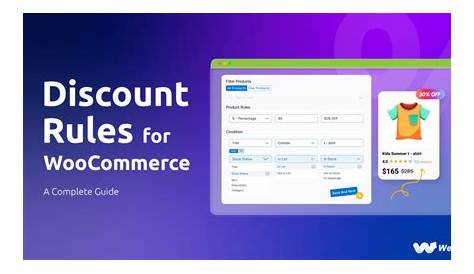
Dynamic pricing and discount rules in WooCommerce let you automatically adjust prices or offer deals based on specific conditions, like how many items a customer buys or who they are. This means you can set up smart discounts that encourage bigger orders, reward loyal shoppers, or promote certain products without constantly changing prices yourself. While it might seem overwhelming at first, understanding these concepts and setting them up step-by-step can help increase your sales and create a smoother shopping experience for your customers.
What is dynamic pricing and why does it matter for my WooCommerce store?
Dynamic pricing in WooCommerce means your store can automatically adjust product prices or apply discounts based on rules you define. For example, you might offer lower prices when someone buys in bulk, give special rates to certain customer groups, or run time-limited promotions. Instead of one fixed price for every customer, your store adapts prices to encourage more purchases, reward loyalty, or clear out inventory. This approach helps you increase sales by showing customers deals tailored to their situation. Dynamic pricing isn’t about random price drops—it’s about setting smart rules that benefit your business and your customers.
How do I decide which discount rules make sense for my products?
Start by thinking about what you want to achieve: Do you want to boost order size, move slow-selling products, or reward repeat customers? Your products and audience help shape the best discounts. For example, if you sell bulk items like coffee bags, a volume discount—such as 10% off when buying five or more—makes sense. Seasonal products might benefit from limited-time discounts that create urgency. If you have returning customers, loyalty discounts or special pricing by user role can help. Keep your initial discount rules simple and focused, then test and adjust based on what brings results. Avoid stacking too many discounts that confuse shoppers or complicate pricing.
What are the main types of discounts I can create in WooCommerce?
WooCommerce supports several common discount types, each useful in different situations. Fixed amount discounts subtract a specific sum, like $5 off a product, which is clear and easy to understand. Percentage discounts reduce prices by a set percent, such as 20% off, which scales naturally with product price. Tiered or bulk pricing offers different prices based on quantity bought—for example, $10 each for 1-4 items, $8 each for 5-9, and $6 each for 10 or more. This encourages larger purchases without manual price changes. You can combine these discount types with conditions like cart totals or customer groups to fit your store’s needs without confusing customers or hurting profits.
Which plugins or tools work best for setting up dynamic pricing and discount rules?
Several plugins can help you set up dynamic pricing in WooCommerce, each with different features and ease of use. WooCommerce's official "Dynamic Pricing" extension integrates well but might be pricey and a bit technical for beginners. "Discount Rules for WooCommerce" offers a free version with many features and an intuitive interface, making it a great choice if you want flexibility without a steep learning curve. Other plugins may focus on specific features like user role pricing or tiered discounts. When choosing, consider how easy it is to create and manage rules, whether it supports the discount types you need, and how well it works with your theme and other plugins. Reliable support and regular updates are important to avoid future issues.
How do I create a basic discount rule step-by-step?
Let's walk through creating a simple discount using the "Discount Rules for WooCommerce" plugin. First, install and activate the plugin from your WordPress dashboard. Then go to WooCommerce > Discount Rules and click "Add New Rule." Give your rule a clear name, like "10% off 3+ items." Under "Conditions," set it to apply when the quantity of a product in the cart is three or more. Next, choose "Percentage Discount" as the discount type and enter 10%. Save your rule. Now, when customers add three or more of that product, the discount applies automatically at checkout. You can use similar steps to create fixed discounts or tiered pricing by adjusting the conditions and discount types.
How can I avoid conflicts and errors when multiple discounts apply?
Discount conflicts happen when rules overlap and stack unexpectedly, causing bigger discounts than intended or confusing customers. To prevent this, most plugins let you set priority levels or mark some rules as exclusive so they don’t combine. For example, you might want a "Black Friday 20% off" discount to override other offers or stop bulk discounts from stacking with coupons. Check your plugin’s settings for options like "priority" or "exclusive rules." Also, be specific with your conditions to avoid discounts triggering on the wrong products or carts. Test each rule carefully, and keep your discount setup as simple as possible to make troubleshooting easier.
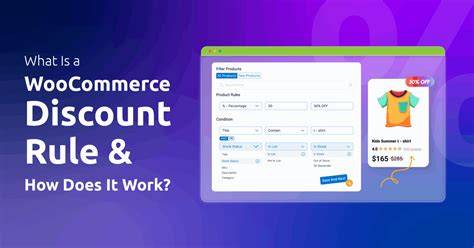
Are there ways to personalize pricing based on who is shopping?
Yes. WooCommerce supports personalized pricing through user role-based discounts, loyalty programs, and location-based pricing. For example, you can assign wholesale customers a specific user role and offer them special prices. Loyalty discounts reward repeat buyers by tracking their purchase history and applying savings automatically. Location-based pricing adjusts prices or taxes depending on the shopper’s region, which is helpful for international stores or local promotions. Many plugins support these features, but they usually require some setup and thorough testing to ensure they work smoothly alongside your other pricing rules. Personalized pricing can help build customer loyalty and increase repeat sales when done carefully.
How do I test my pricing rules before customers see them?
Testing your pricing rules before going live helps avoid mistakes like wrong discounts or lost revenue. If possible, use a staging site or local development environment where you can test without affecting real customers. If that’s not an option, some plugins offer a "preview" mode or let you simulate different cart conditions to see how discounts apply. Test various combinations of products, quantities, user roles, and coupon codes. Check the prices on product pages, cart, and checkout to make sure totals are correct. Also, test on different devices and browsers to confirm consistent behavior. Regular testing helps catch issues early and ensures your pricing works as intended.
What are some advanced tips for creating complex pricing strategies?
Once you’re comfortable with basic discounts, you can combine rules, schedule promotions, and add conditions based on cart contents or order value. For instance, offer 15% off orders over $100 but exclude certain products, or add an extra 5% off during holiday sales. Scheduling lets discounts start and end automatically, saving you manual work. Some plugins allow stacking discounts with careful priority settings, so customers meeting multiple criteria get rewarded without hurting your margins. You can also create "buy one, get one" deals or bundle discounts based on specific products in the cart. Keep track of your rules and test often, since complexity increases the chance of unexpected pricing problems.
Where can I find ongoing support and updates for my pricing setup?
Most reliable plugins come with documentation that explains how to set up and troubleshoot discount rules. Many developers offer support forums or customer service where you can ask about your specific setup. The WooCommerce community forums are another good place to find advice from other store owners and developers. Keep your plugins updated to maintain security and compatibility with WooCommerce. Following plugin blogs or newsletters can alert you to new features or known issues. If you use multiple plugins, test updates in a staging environment before applying them live to avoid surprises.
Conclusion
Start with one simple discount rule that matches your main sales goal—like a volume discount or a loyalty discount for repeat customers. Resist the urge to add too many complex rules at once. It's better to have a few clear, well-functioning discounts than a complicated system that confuses shoppers or causes checkout problems. You’ll know you’re on the right track when customers start buying more or coming back more often, and your pricing is consistent at checkout. Keep testing and adjusting your rules regularly, and don’t hesitate to use plugin support and community resources when you need help. With time, dynamic pricing will become a natural and effective part of your WooCommerce store’s growth.
Frequently Asked Questions
Can I set different prices for wholesale and retail customers in WooCommerce?
Yes. By assigning user roles like wholesale or retail, you can create pricing rules that apply only to specific customer groups. Many dynamic pricing plugins support user role-based discounts, making it easy to personalize prices for different types of customers.
Will applying multiple discount rules confuse my customers or cause pricing errors?
It can if rules overlap without clear priorities or exclusions. Good plugins let you control how discounts combine or exclude each other, helping you avoid unintended stacking and keeping prices accurate and easy to understand.
Is it possible to schedule discounts for specific dates in WooCommerce?
Yes. Many dynamic pricing plugins include scheduling features so you can set start and end dates for discounts. This lets you automate promotions like holiday sales without manually turning rules on or off.
How do I know if my discount rules are working correctly before customers see them?
Test discounts in a staging environment or use plugin preview features to simulate different cart conditions. Verify that discounts apply correctly on product, cart, and checkout pages before going live to avoid surprises.
Are percentage discounts better than fixed amount discounts?
It depends on your products and goals. Percentage discounts scale with price, which can feel fair for a range of products, while fixed discounts offer straightforward savings that are easy to understand. Choose the type that best fits your customers’ motivation and your profit margins.