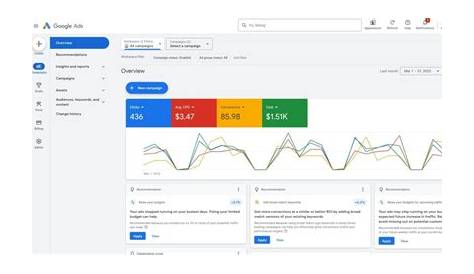
If you’re wondering when to use Performance Max campaigns instead of other Google Ads types, the answer depends on your specific business goals and how much control you want over your ads. Performance Max campaigns automatically run ads across all Google channels like Search, Display, YouTube, and more, aiming to maximize conversions with less manual management. But they aren’t always the best choice—sometimes traditional Search, Display, Shopping, or Video campaigns fit better depending on your needs. Understanding the strengths and limits of each will help you get the most from your advertising budget.
What exactly is a Performance Max campaign?
Performance Max campaigns automatically show your ads across all Google properties—Search, Display, YouTube, Discover, Gmail, and Maps—based on the goals you set. Unlike traditional campaigns where you pick keywords or placements, Performance Max relies on Google’s automation to decide when and where to show your ads in real time. For example, an online store might have ads appear on a YouTube video one moment and in Google search results the next, depending on where it predicts conversions will be highest. You provide audience signals, creative assets, and conversion goals, but Google handles targeting and bidding decisions. This means you don’t choose exact keywords or placements; instead, you set broad goals and let the system optimize across channels simultaneously.
How does Performance Max compare to Search, Display, Shopping, and Video campaigns?
Each campaign type focuses on different targeting and ad formats. Search campaigns let you target specific keywords and appear in search results, giving you precise control. Display campaigns place banner and text ads on websites and apps, targeting users by interests or demographics but without specific search intent. Shopping campaigns showcase your products with images and prices directly in search results, perfect for e-commerce. Video campaigns run ads on YouTube based on content and user behavior.
Performance Max combines all these channels in one campaign and uses machine learning to allocate your budget and decide placements. You get access to multiple ad formats—text, images, video—but lose detailed control over keywords and placements. Traditional campaigns let you focus on one channel or strategy, while Performance Max aims to find the best-performing mix across channels. This means you trade some manual control for broader reach and potentially better efficiency when your goal is conversions rather than pinpoint targeting.
Why might I feel uncertain about using Performance Max right now?
Many advertisers hesitate because Performance Max means giving up some control. You can’t select exact keywords, placements, or channels, which feels uncomfortable if you’re used to managing those details yourself. Reporting is also less detailed; instead of seeing performance by keyword or placement, you get aggregated data, making it harder to understand exactly what’s driving results.
Automation might sound like "set it and forget it," but it’s not. The system learns over time and needs good data, clear goals, and quality creative assets to work well. Without ongoing monitoring and adjustments, your results might stall or decline. This lack of transparency and control makes some small business owners and marketers wary, even though automation can improve efficiency for many campaigns.
When is Performance Max the best choice for my advertising goals?
Performance Max works well when your main goal is to maximize conversions or sales across multiple Google channels without managing separate campaigns. If you want broad reach and don’t have time or experience to manage keywords, placements, and bids, it’s a strong option. For example, an online retailer launching a new product line might use Performance Max to quickly test audiences and channels in one campaign.
It’s also ideal for businesses focused on clear conversion goals—like lead generation or e-commerce sales—where automation can find cost-effective customers. If your marketing resources are limited and you want Google’s machine learning to handle much of the work, Performance Max can save time and potentially improve results. But it requires enough conversion data and good creative assets to support the system’s automation.
When should I stick with or prefer other campaign types over Performance Max?
Choose traditional campaign types if you need fine control over your ads. For example, if you rely heavily on specific keywords, exact match targeting, or branded search terms, Search campaigns offer more precision. Brand awareness efforts often do better with Display or Video campaigns where you can control placements and creative messaging.
If your business focuses on one channel—like YouTube video ads or Shopping product ads—specialized campaigns provide better ad formats and reporting. When you want to test messaging or targeting ideas separately, separate campaigns make analysis and adjustments easier. Performance Max’s all-in-one approach can blur insights and limit detailed optimization, so stick with traditional campaigns if you need control and transparency.
Can I run Performance Max campaigns alongside my existing campaigns?
Yes, you can run Performance Max alongside Search, Display, Shopping, or Video campaigns. Many advertisers start by adding Performance Max to their existing mix to test its performance without dropping traditional campaigns. However, watch out for budget overlap and audience cannibalization—where campaigns compete for the same users and drive up costs.
To manage this, monitor your campaigns closely to see if Performance Max is taking conversions from other campaigns or if overall results improve. Adjust budgets or pause underperforming campaigns as needed. Since you can’t use negative keywords or audience exclusions in Performance Max, balancing objectives and budgets carefully helps avoid wasted spend.
How do I measure if Performance Max is actually working for me?
Focus on your core conversion metrics—sales, leads, sign-ups, or whatever you’re targeting. Compare the cost per conversion and return on ad spend (ROAS) from Performance Max with your other campaigns over similar periods. Google’s reporting for Performance Max centers on overall goals rather than channel-level detail, so watch trends in conversions and costs.
Signs Performance Max might not be working include rising costs per conversion, stagnant or dropping conversion volume, or poor alignment with your goals. If it’s working well, you should see more conversions at a stable or lower cost. Remember, it can take several weeks for the system to learn and stabilize, so give it at least 3 to 4 weeks before making big decisions. Use Google’s insights on audience segments and creative asset performance to guide your optimizations.
What are some common misconceptions about Performance Max?
One myth is that Performance Max is "set it and forget it." While automation handles targeting and bidding, you still need to provide quality creative assets, clear goals, and monitor performance regularly. It’s a tool, not a magic solution.
Another misconception is that losing control means it’s less effective. In many cases, automation finds efficiencies that humans might miss across channels. That said, your input on audience signals and creative quality remains important.
Some think Performance Max will replace all other campaign types, but Google recommends using it alongside traditional campaigns tailored to specific goals.
What practical steps should I take to test Performance Max campaigns effectively?
Start by adding a Performance Max campaign alongside your existing campaigns instead of replacing them right away. Set a clear conversion goal and provide a variety of creative assets—headlines, descriptions, images, and videos if possible—so the system has options to optimize.
Choose a budget that won’t starve your other campaigns but is enough to collect meaningful data. Allow at least 3 to 4 weeks for the campaign to learn and stabilize before judging performance. Monitor key metrics like conversions, cost per conversion, and ROAS regularly.
If performance improves, consider increasing your budget or shifting spend toward Performance Max. If results lag, try adjusting audience signals or creative assets, or pause to reassess. Keep testing and comparing with traditional campaigns to find the right mix for your business.
Where can I learn more or get help if I’m still unsure about choosing campaign types?
Google Ads Help Center offers detailed guides and best practices for all campaign types, including Performance Max. The Google Ads Community forums are useful for reading real user experiences and asking questions.
For personalized advice, consider contacting certified Google Ads professionals or agencies familiar with your industry. Local marketing groups or online platforms may also offer training and support. Google’s Skillshop courses are a great way to understand automation better and decide how to include Performance Max in your strategy.
Conclusion
Start by clarifying your main advertising goal and how much time you want to spend managing campaigns. If you want broad reach with less manual setup and your goal is clear conversions, testing Performance Max makes sense. Don’t expect it to replace all your campaigns right away—run it alongside existing campaigns and compare results. Remember, automation doesn’t mean no effort; your input and regular review still matter. A successful campaign shows steady or improved conversions at a reasonable cost and provides insights that help you refine your approach. Begin small, watch closely, and adjust according to what your business needs.
Frequently Asked Questions
Can Performance Max campaigns replace all my other Google Ads campaigns?
Not necessarily. Performance Max simplifies management and reaches across channels, but it doesn’t offer the detailed control or reporting some campaigns need. It usually works best alongside traditional campaigns aimed at specific goals.
Do I lose control over where my ads show with Performance Max?
Yes, Performance Max automates placement decisions across Google’s channels, so you can’t select exact keywords or sites. However, you influence targeting through audience signals and creative assets, and Google optimizes delivery based on your goals.
How long does it take for a Performance Max campaign to start performing well?
It typically takes a few weeks for the automation to learn and optimize effectively. During this learning phase, results may vary, so it’s best to wait at least 3 to 4 weeks before making major changes.
Can I still use keywords with Performance Max campaigns?
Performance Max doesn’t use keywords the way traditional Search campaigns do. Instead, it relies on your audience signals and creative assets, plus Google’s automation, to find relevant queries and placements automatically.
What should I watch for to know if Performance Max isn’t working for me?
Watch your cost per conversion and conversion volume. If costs rise sharply or conversions drop without clear reasons, or performance doesn’t improve after the learning period, consider adjusting your strategy or using other campaign types more.