If your WordPress eCommerce site is up but sales are low, the issue usually lies in how your store works for visitors—not your products. To increase sales, focus on speeding up your site, making product pages clear and persuasive, using WordPress plugins to automate marketing and upselling, optimizing your store for search engines, and setting up email marketing and retargeting to bring customers back. Small, targeted improvements in these areas can turn more visitors into buyers without a costly redesign.
Why aren’t more people buying from my WordPress store?
Many WordPress eCommerce stores face issues that quietly push visitors away. Slow loading times, caused by heavy themes, too many plugins, or unoptimized images, frustrate shoppers who expect quick access. Confusing navigation can make it hard for customers to find what they want, so they leave. Missing trust signals—like clear contact details, secure payment badges, or customer reviews—make visitors hesitant to buy. Product pages that are cluttered or full of jargon fail to show the benefits clearly. These problems aren’t about your products themselves but how your site presents and performs. Fixing these will help visitors feel confident enough to complete a purchase.
How fast is my WordPress eCommerce site really loading?
Even a few seconds of delay can cost sales. To check your site speed, use free tools like Google PageSpeed Insights, GTmetrix, or Pingdom. Enter your store’s URL, and they’ll show load times and identify what slows your site down. Common WordPress speed issues include unoptimized images, bulky themes, too many plugins, and slow shared hosting. To improve speed, compress images before uploading, use a lightweight eCommerce theme, and disable unnecessary plugins. Caching plugins like WP Rocket or W3 Total Cache serve stored pages faster, improving load times. Speed keeps visitors engaged long enough to explore and buy, so it’s worth focusing on.
Are my product pages convincing and easy to understand?
Product pages aim to turn browsers into buyers by clearly showing value. Write descriptions that highlight benefits, not just features. For example, instead of "100% cotton," say "soft, breathable fabric that keeps you comfortable all day." Use simple language your typical customer understands, avoiding technical jargon. Include high-quality photos from multiple angles and, if possible, short videos demonstrating the product. Break up text with bullet points for easy reading. Display prices clearly alongside guarantees or return policies. Avoid clutter and too many calls to action that can overwhelm. Well-crafted product pages do much of the selling for you by focusing on what customers care about.
Which WordPress plugins can help boost sales automatically?
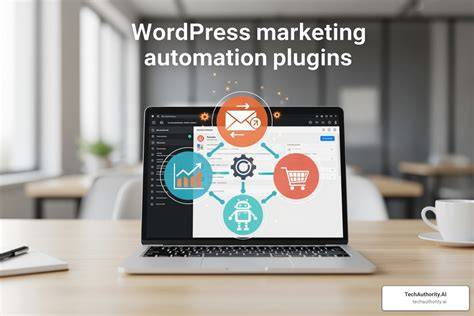
Several WordPress plugins can help increase sales by automating marketing and encouraging purchases. Abandoned cart recovery plugins, like WooCommerce Cart Abandonment Recovery, remind shoppers who left without buying to return, often recovering lost sales. Upsell and cross-sell plugins suggest related or premium products during checkout or on product pages, raising average order value with little effort from you. Social proof plugins display real-time purchase notifications or customer reviews, building trust and urgency. Popular options include WooCommerce Follow-Ups for emails, Beeketing for upsells, and TrustPulse for social proof. These plugins require no coding and integrate well with WooCommerce or other eCommerce tools, letting you automate key sales steps with minimal hassle.
How can I improve checkout experience on my WordPress store?
A complicated checkout drives shoppers away at the last step. Simplify your checkout by using a one-page checkout plugin or reducing the number of fields customers must fill out. Allow guest checkout to speed the process and avoid forcing account creation unless necessary. Offer multiple payment options like credit cards, PayPal, Apple Pay, or local methods your audience prefers. Show shipping costs early to avoid surprises at the end. Make sure your checkout is secure by displaying SSL certificates and trust badges. Features like autofill for address fields and a mobile-friendly design reduce friction. A smooth, straightforward checkout helps prevent cart abandonment when customers are ready to pay.
What SEO tweaks can get more visitors to my WordPress eCommerce site?
SEO for WordPress stores means helping search engines understand your products and helping shoppers find what they want. Install an SEO plugin like Yoast SEO or Rank Math to optimize titles, meta descriptions, and URLs. Use clear, descriptive product titles and include relevant keywords naturally in descriptions. Avoid copying manufacturer text; write unique content for each product. Use structured data (schema markup) plugins to display prices, availability, and reviews in search results, making listings more attractive. Organize products into logical categories and tags to improve site structure. Blogging about topics related to your products can attract visitors and build authority. SEO takes time but steadily increases organic traffic to your store.
How do I set up email marketing that actually brings people back?
Email marketing is one of the most effective ways to turn visitors into repeat customers. Use WordPress plugins like MailPoet or integrate services like Mailchimp or Klaviyo to automate emails based on customer actions. Start with abandoned cart emails that remind shoppers about items they left behind and offer incentives if needed. A welcome email series after signup or first purchase helps build a relationship and introduces your brand or best-sellers. Regular promotional emails with clear offers and calls to action keep your store in customers’ minds. Make sure emails are mobile-friendly, visually appealing, and to the point. Segment your audience by purchase history or interests to send relevant messages. Automated email marketing can quietly bring customers back with minimal manual work.
Can social media and ads really help my WordPress store sales?
Social media and ads can drive targeted traffic to your store but work best with a clear plan. Organic posts build awareness and engagement when you share product highlights, behind-the-scenes content, or customer stories. Focus on channels where your audience spends time—Instagram for visual products or Facebook groups for niche markets. Paid ads on Facebook or Google let you target specific interests, locations, or behaviors to reach buyers ready to purchase. Start with small budgets and test different ads to find what works. Use tracking tools like Facebook Pixel to measure which campaigns drive sales, not just clicks. Social media and ads need consistent effort and smart targeting to be worthwhile.
What role does customer trust play, and how do I build it on my WordPress site?
Trust is critical because online shoppers can’t touch products before buying. Build trust by adding customer reviews and testimonials on product pages—real feedback reassures new buyers. Make contact information easy to find and display clear return and privacy policies. Show security badges like SSL certificates and trusted payment icons during checkout to reduce buyer anxiety. Avoid clutter and outdated designs that make your site look less professional. Consistent branding and clear product information also help build confidence. When shoppers trust your store, they’re more likely to complete their purchase and come back.
What quick wins can I implement today to start seeing more sales?
To boost sales quickly, focus on simple changes you can make without deep technical skills. Compress and optimize product images using free tools like TinyPNG to speed up your site. Review product pages and rewrite descriptions to highlight benefits, adding at least one or two high-quality photos per product. Install an abandoned cart recovery plugin to remind visitors about items they left behind. Enable guest checkout if it isn’t already active to simplify the buying process. Add visible trust badges on payment pages to reassure buyers. Finally, set up a basic email capture form with a welcome email to start building your customer list. These straightforward steps often lead to noticeable improvements without a major site overhaul.
Conclusion
Begin by improving your site speed and cleaning up your product pages—they set the stage for better sales. Avoid trying every plugin or marketing tactic; instead, choose a few tools that fit your store and focus on creating a smooth, trustworthy shopping experience. When visitors stay longer, abandon carts less, and come back again, you’ll know you’re on the right track. Steady, focused improvements that respect how real people shop online make the biggest difference.
Frequently Asked Questions
How can I speed up my WordPress eCommerce site without technical skills?
Optimize images before uploading using free online tools, choose a lightweight theme, and remove plugins you don’t need. Installing a caching plugin with default settings can also speed up your site without technical work.
What’s the best way to write product descriptions that sell?
Focus on the benefits your customers care about rather than just listing features. Use simple language, explain how the product solves a problem or improves life, and include clear, concise details with bullet points for easy reading.
Which payment options should I offer to reduce cart abandonment?
Start with common methods like credit/debit cards and PayPal. Depending on your audience, adding options like Apple Pay, Google Pay, or local payment gateways can help remove checkout barriers.
Are email marketing plugins difficult to set up on WordPress?
Most popular plugins like MailPoet or integrations with Mailchimp guide you step-by-step. You can start automating welcome emails and abandoned cart reminders without writing any code.
Can I run Facebook ads directly from my WordPress site?
You can’t run ads directly from WordPress, but you can use Facebook’s Business Manager to create targeted ads. Installing the Facebook Pixel on your store helps track visitors and optimize ad performance.