You can automate updates to your Meta ads using your WordPress post feed combined with ROAS TOOL KIT. By connecting your WordPress RSS or XML feed to Meta’s dynamic ad system—usually through a plugin or middleware—you enable your ads to refresh automatically when you publish new posts. ROAS TOOL KIT then monitors ad performance and can trigger optimizations based on real-time data. This setup saves time and keeps your ads relevant, but it requires careful configuration and ongoing oversight to work smoothly and maintain control over your campaigns.
Can I really automate Meta ads updates from my WordPress posts?
Yes, you can automate certain updates to your Meta ads using your WordPress posts, but there are limits. WordPress generates RSS or XML feeds listing your latest posts with details like titles, images, and links. These feeds can supply fresh content to your Meta ads, so when you add or update a post, your ad content can update automatically. However, Meta’s native tools don’t directly accept WordPress feeds, so you need a third-party tool like ROAS TOOL KIT or specific plugins to bridge the gap. This automation mainly works with dynamic ad formats such as Dynamic Ads or Catalog Ads that support updating content automatically. If your campaigns rely on manual creative or targeting, full automation isn’t feasible. You’ll still need to manage strategy and creative elements yourself, but automating content updates can reduce manual work and improve ad freshness.
What exactly is ROAS TOOL KIT and why does it matter?
ROAS TOOL KIT is a management tool that helps digital marketers track and optimize their return on ad spend (ROAS) across Meta campaigns. It collects detailed data from your ad accounts, monitoring key metrics to identify what’s working and what isn’t. Beyond reporting, ROAS TOOL KIT can automate actions like adjusting budgets, bids, or pausing ads based on rules you set. When connected to a dynamic content source like your WordPress feed, it helps keep your ads both relevant and profitable by triggering updates or alerts when new content appears. This matters because simply updating ad content automatically doesn’t guarantee better results. ROAS TOOL KIT provides ongoing performance insights and automation that keep your spend efficient and your campaigns focused on what drives returns.
How do WordPress post feeds work for advertising automation?
WordPress creates RSS or XML feeds that list your published posts in a structured format, including titles, excerpts, featured images, URLs, and publication dates. Tools or advertising platforms can read these feeds to pull fresh content automatically. For example, publishing a new blog post adds it to the feed, which can then update your Meta ads or product catalog without manual uploads. For this to work, your feed must be well-structured and consistent; missing fields or irregular formatting can cause automation tools to fail. Also, only certain ad formats—typically dynamic ads tied to product catalogs or custom feeds—can use these feeds directly. So, understanding how your WordPress feed is formatted and what data it includes is a crucial step before automating ad updates.
How can I link my WordPress feed to Meta ads campaigns?
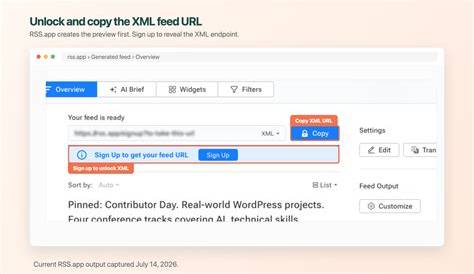
To connect your WordPress feed with Meta ads, you need to translate your RSS or XML feed into a format Meta can use, usually a product catalog. Meta doesn’t accept WordPress feeds directly, so you’ll use plugins or third-party tools that convert and sync your feed data with Meta’s Catalog Manager. Common steps include: 1. Finding your WordPress RSS or XML feed URL. 2. Using a plugin or external tool to format your feed to meet Meta’s catalog requirements—sometimes exporting posts as CSV or XML files. 3. Uploading or syncing this catalog with Meta’s Catalog Manager. 4. Creating dynamic ad campaigns that pull content from this catalog. 5. Connecting ROAS TOOL KIT to monitor and optimize these campaigns. This process isn’t plug-and-play and may require technical help to ensure your feed’s data matches Meta’s format and updates happen reliably.
What role does ROAS TOOL KIT play in updating ads automatically?
Once your WordPress content feeds into your Meta ads, ROAS TOOL KIT acts as both a monitor and automation engine. It tracks ROAS and other key metrics in real time for each dynamic ad or catalog item. Based on rules you set, it can pause ads that underperform, boost budgets for high performers, or suggest creative changes. It can also detect when new posts appear in your WordPress feed and trigger ad refreshes accordingly. This means ROAS TOOL KIT doesn’t just update content blindly; it links content updates with performance data to help you optimize campaigns continuously. Without a tool like ROAS TOOL KIT, your ads might update with new content but won’t adjust based on what’s actually driving results.
What are the common mistakes to avoid with this setup?
Several issues can disrupt automating Meta ads from WordPress feeds. Feed formatting errors—such as missing images, broken links, or incorrect XML structure—can cause sync failures or wrong ad content. Always validate your feed before linking it. Timing delays can also cause problems: your WordPress posts might publish immediately, but feed or catalog updates might take hours or days to reflect in your ads, causing lag. Another mistake is mismatched campaign goals: promoting blog posts as product ads might confuse audiences or lower engagement if targeting doesn’t align. Over-relying on automation without manual creative tweaks is risky since ads often need fresh copy or design beyond content updates. Finally, not monitoring automated changes closely can let weak-performing ads run too long, hurting ROAS.
How do automated updates impact my ROAS and ad performance?
Automating updates can boost ROAS by keeping your ads aligned with your latest content, which improves relevance and engagement. Ads that showcase new products, promotions, or blog posts quickly tend to get more clicks and conversions. ROAS TOOL KIT helps by shifting budgets and bids toward ads that perform well and cutting waste. On the downside, automation can cause problems if outdated or irrelevant content slips in, lowering ad quality scores or confusing your audience. Automation reduces some control, making it easier to miss small but important creative details. Overall, automation improves efficiency and keeps ads fresh, but you still need to monitor results and step in manually to maintain or improve ROAS.
Are there any limitations or scenarios where automation won’t work well?
Automation isn’t suitable for every campaign. Complex targeting that needs detailed audience segments, manual bid strategies, or creative A/B testing usually requires hands-on management. Ads that depend on custom copywriting, specific promotional messaging, or layered brand storytelling won’t benefit from automatic feed updates, which can’t capture those nuances. Sudden market changes or product shifts that demand quick human decisions also don’t fit automated setups. If your WordPress content isn’t structured for ads—like blog posts that don’t translate well into product ads—automation might cause more harm than good. In these cases, automation can support but not replace manual campaign management.
What practical tools or plugins do I need to get started?
To start, you’ll need a WordPress plugin that generates or formats your RSS or XML feed for advertising use. Plugins like WP RSS Aggregator or Feedzy can help manage feeds but may require customization to meet Meta’s catalog format. You’ll also use Meta’s Catalog Manager to host your dynamic product or content catalog. ROAS TOOL KIT will monitor, optimize, and automate updates based on performance data. If direct integration isn’t possible, middleware services like Zapier or Integromat can connect your feed with Meta’s system. Key ROAS TOOL KIT features to look for include real-time ROAS tracking, automated budget and bid adjustments, and catalog syncing. Together, these tools build a pipeline from your WordPress posts to updated Meta ads, with ongoing optimization.
What are the first steps I should take to set this up confidently?
Begin by reviewing your WordPress feed URL and checking it for completeness and consistency—make sure it includes titles, images, links, and summaries. Choose a plugin or tool that formats or exports this feed to fit Meta’s catalog requirements. Then create a test catalog in Meta’s Catalog Manager and upload or sync your feed data. Build a simple dynamic ad campaign using this catalog to confirm the connection works. Next, connect ROAS TOOL KIT to your Meta account and link it to your catalog and campaigns. Start with cautious automation rules, like alerts for performance drops instead of automatic pauses or budget changes. Test with a small budget and watch how content updates flow through your system. This careful approach helps catch errors early and keeps you in control while you get comfortable with automation.
Conclusion
Automating Meta ad updates using your WordPress content and ROAS TOOL KIT is doable but requires a clean, well-structured feed and careful setup. After creating a catalog in Meta and connecting it through plugins or middleware, use ROAS TOOL KIT to keep performance front and center. Automation saves time and keeps ads fresh, but it’s not hands-off—you still need to monitor and tweak campaigns regularly. A good outcome means quicker content refreshes in your ads and steady or improved ROAS without daily manual work. Avoid fully automating without testing: start small, watch closely, and adjust as you learn what works for your campaigns.
Frequently Asked Questions
Can I use any WordPress feed to update my Meta ads automatically?
Your standard WordPress RSS feed can often be used, but it must include all required fields like images and links in a format compatible with Meta’s catalog. You may need plugins or custom formatting to prepare the feed for dynamic ads.
Does ROAS TOOL KIT automatically change my ads when new posts publish?
ROAS TOOL KIT can trigger or suggest ad updates based on new content entering your catalog and performance data, depending on your automation rules. You can set it to send alerts first or automate actions like pausing or boosting ads.
Will automating updates improve my ad performance right away?
Not automatically. Automation helps keep ads current and can improve efficiency, but actual performance depends on content relevance, targeting, and how well you manage the automation. Regular monitoring and adjustments remain essential.
Are there risks to letting automation control my Meta ads?
Yes, because automation reduces manual oversight, it can allow poorly performing or irrelevant ads to run longer than they should. Feed errors or update delays might also cause ads to show outdated or incorrect content. Close monitoring is key.
What if I want to keep manual control over creative but still automate updates?
You can automate selectively—for example, automating product catalog updates while handling copywriting and targeting manually. ROAS TOOL KIT lets you customize which parts of your campaigns are automated and which you manage yourself.