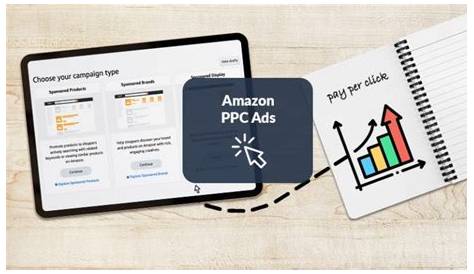
Amazon PPC ads are a powerful way to get your products in front of shoppers who are ready to buy. You pay only when someone clicks your ad, making it a cost-effective way to boost visibility and sales. This guide will walk you through how Amazon PPC works, how to set up and optimize your campaigns, and how to avoid common mistakes so you can grow your sales confidently.
What exactly are Amazon PPC ads and why should I care?
Amazon PPC (Pay-Per-Click) ads are paid ads that appear on Amazon’s website and app to help your products get noticed. You bid on keywords or product targets, and when someone clicks your ad, you pay a small fee. This puts your products in front of buyers at the moment they’re searching or browsing to purchase. For sellers, PPC ads offer a shortcut to visibility beyond organic search rankings, which can take a long time to build. Without enough visibility, even great products struggle to sell. PPC ads help by placing your listings in prime spots like the first page of search results or product detail pages. This control over timing and targeting can lead to more sales and eventually improve your organic rankings too. If you want to compete and grow on Amazon, learning PPC is essential.
What types of Amazon PPC ads can I run?
Amazon offers three main PPC ad types: Sponsored Products, Sponsored Brands, and Sponsored Display. Sponsored Products ads promote individual listings directly within search results and on product pages. They’re the most popular and a good starting point for boosting sales of specific products. Sponsored Brands ads feature your brand logo, a custom headline, and multiple products, appearing at the top of search results. These help build brand awareness or highlight a product range, not just single items. Sponsored Display ads target shoppers based on their browsing and buying habits, showing ads both on Amazon and across other websites. They work well for remarketing—reaching people who viewed your product but didn’t buy. Each type serves a different goal: quick sales, brand visibility, or retargeting shoppers. Choose the type that fits your current priorities.
How do I set up my first Amazon PPC campaign?
Getting started is easier than it seems. Log into Amazon Seller Central and navigate to the advertising section. Choose your campaign type—most beginners start with Sponsored Products. Give your campaign a clear name so you can track it easily later. Set a daily budget; $10 to $25 per day is a practical range to test without overspending. Next, select the products you want to advertise—best sellers or items with good profit margins are ideal. Then choose between automatic or manual targeting. Automatic targeting lets Amazon pick keywords for you, which is helpful when you’re just starting. Manual targeting gives you full control over keywords and product targets. After setting your bids per click (start low and adjust as you learn), review all details and launch your campaign. Remember, it usually takes a few days to gather data before you can make informed changes.
How do I find the right keywords that actually convert?
Choosing the right keywords is crucial for successful Amazon PPC. Your keywords should match what buyers type when they’re ready to purchase. Start by reviewing your existing listings and the search term reports in Seller Central, which show actual queries that led shoppers to your ads and sales. You can also use third-party tools that provide keyword ideas, search volumes, and competition levels. Aim for keywords with decent search volume but manageable competition so your bids stay reasonable. Focus on keywords that indicate purchase intent, like "buy," "best," or specific product attributes. Keep an eye out for keywords that bring clicks but no sales and add those as negative keywords to avoid wasting budget. Regularly update your keyword list by pausing or removing underperforming terms and adding new ones that convert better.
What metrics should I watch to know if my ads are working?
To track your Amazon PPC performance, focus on these key metrics: ACOS (Advertising Cost of Sales), CTR (Click-Through Rate), and conversion rate. ACOS tells you how much you spend on ads for every dollar of sales. For example, an ACOS of 30% means you spent 30 cents on ads for each dollar earned. What’s considered a “good” ACOS depends on your profit margin, but generally, lower is better. CTR shows how often people click your ad after seeing it. A low CTR might mean your ad or product title isn’t catching attention, while a high CTR with few sales could signal irrelevant clicks. Conversion rate measures how many clicks turn into purchases. A low conversion rate might mean your product page needs improvement or your keywords don’t match buyer intent. Looking at all these metrics together gives a clearer picture of campaign health and helps you decide which ads or keywords to adjust or pause.
What are the most common mistakes new sellers make with Amazon PPC?
Many new sellers make similar mistakes that waste time and money. One is setting a high budget and broad keywords right away, hoping for fast results. This often leads to spending on clicks that don’t convert. Another is ignoring negative keywords—these are terms that trigger your ads but don’t lead to sales, draining your budget. Poor campaign structure, like mixing too many products or keywords together, makes it hard to analyze what’s working. Forgetting to monitor and adjust bids regularly can keep campaigns running inefficiently. Also, sticking only with automatic campaigns without moving to manual targeting limits control and growth. Avoid these by starting with a modest budget, defining clear campaign structures, using negative keywords, and reviewing your campaigns regularly.
How do I optimize and improve my campaigns over time?
Optimizing your campaigns means regularly reviewing performance and making smart changes. Pause keywords or ads that spend a lot but don’t bring sales to stop wasting money. Increase bids on keywords that convert well but don’t get enough clicks yet. Try different keyword match types—broad, phrase, and exact—to balance reach and precision. Improving your product titles and images in ads can also raise your click-through rate. Add negative keywords whenever you find irrelevant search terms eating your budget. Set a routine to check your campaigns weekly, so you catch trends early and adjust before problems grow. These small, ongoing updates can boost your ad results and profitability steadily.
When and how should I scale my Amazon PPC campaigns?
Scaling means increasing your budget or expanding your keyword list once your campaigns consistently make a profit and maintain stable or improving ACOS. If your ads are profitable and you’re hitting your daily budget cap regularly, it’s usually safe to spend more to get extra sales. Increase your budget gradually—start by raising it 10-20% every few days while tracking performance. Avoid doubling budgets overnight, as that can cause costs to rise unexpectedly. You can also test new keywords or ad types one at a time to see what drives results. Scaling thoughtfully means growing your sales without sacrificing profitability. Keep monitoring your key metrics and adjust bids as needed to stay on track.
Are automatic campaigns worth running alongside manual ones?
Yes, automatic campaigns are a useful tool, especially when you’re new to Amazon PPC. They let Amazon’s system find relevant keywords and targets for your ads without upfront research, helping you discover opportunities you might miss. Running automatic campaigns alongside manual ones gives you more data to refine your manual keyword lists. However, don’t rely on automatic campaigns alone for long. After gathering data, identify the best-performing keywords and add them to your manual campaigns for better control over bids and targeting. Also, use negative keywords in automatic campaigns to avoid spending on irrelevant clicks. Automatic campaigns complement manual ones by providing a low-effort way to find new keywords and should be part of your overall strategy.
What’s the best way to stay updated and keep learning about Amazon PPC?
Amazon PPC changes over time as Amazon updates its platform and adds features. To keep up, regularly check Amazon Seller Central announcements and their advertising blog. Join online communities like Amazon Seller Forums or Facebook groups where sellers share tips and experiences. Third-party tools such as Helium 10, Jungle Scout, or SellerApp often offer tutorials and updates about PPC trends. You can also follow YouTube channels or podcasts focused on Amazon selling for practical advice. Staying curious and reviewing your campaigns with fresh insights will help you adapt and improve your results over time.
Conclusion
Start your Amazon PPC journey by setting up a simple Sponsored Products campaign with a modest daily budget, focusing on a few well-chosen products. Track important metrics like ACOS and conversion rate closely, and don’t hesitate to pause ads or keywords that aren’t working. Avoid common mistakes such as overspending or ignoring negative keywords. As you understand which keywords and ads perform best, gradually optimize bids and scale your campaigns carefully. Remember, PPC isn’t a set-it-and-forget-it tool—it’s a process of steady learning and improvement. Aim for profitable sales growth without reckless spending. Focus on learning and adapting, and your campaigns will improve over time.
Frequently Asked Questions
How much should I budget for my first Amazon PPC campaign?
Start with a budget between $10 and $25 per day. This lets you collect useful data while keeping your risk low. You can adjust your budget as you learn which ads and keywords perform well.
Can I run multiple Amazon PPC campaigns at the same time?
Yes. Running multiple campaigns lets you target different products or keywords separately, giving you clearer insights and more control. Just keep your campaigns organized so you can easily track what’s working.
How long does it take to see results from Amazon PPC ads?
It usually takes a few days to a week to gather enough data to evaluate performance. Depending on your budget and competition, it might take longer. Be patient and monitor your campaigns regularly to spot trends.
Should I use automatic or manual targeting for my campaigns?
Starting with automatic targeting helps you discover relevant keywords quickly without much upfront work. Once you have data, switch to manual targeting to focus on your best keywords and control your bids more precisely.
What’s a good ACOS to aim for in Amazon PPC?
A good ACOS depends on your product’s profit margin. Many sellers aim for under 30%, but if your margins are tight, you might need a lower ACOS to ensure profitability.