If you’ve started running Amazon ads but aren’t seeing the sales or return on investment you expected, you’re not alone. Many sellers get plenty of clicks and impressions but struggle to turn that traffic into actual purchases. The key to better ad performance lies in digging deeper than basic metrics, refining your keyword targeting, structuring your campaigns wisely, and making sure your product page supports your ads. This guide walks you through how to analyze your ad data correctly and adjust every part of your advertising approach to boost sales and profitability.
Why aren’t my Amazon ads converting despite decent traffic?
Getting traffic doesn’t guarantee sales. One common issue is poor keyword targeting—your ads might be showing up for searches that bring clicks but not from shoppers ready to buy or interested in your exact product. For example, if you’re advertising a Bluetooth speaker, you might get clicks from people looking for wired speakers or cheaper alternatives, which won’t convert well. Your product page also plays a big role; if it lacks clear images, detailed descriptions, or strong reviews, visitors might click your ad but leave without buying. Sometimes your audience is too broad, meaning you pay for clicks from people who don’t match your ideal customer. To fix this, align your keywords, audience targeting, and product page so each click has a better chance of turning into a sale.
What do all those Amazon ad metrics actually mean for my business?
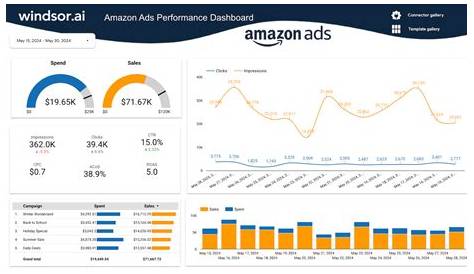
Amazon provides several key metrics to help you understand your ads’ performance. Click-through rate (CTR) shows the percentage of people who saw your ad and clicked it; a low CTR could mean your ad copy or images aren’t catching attention. Conversion rate (CVR) tells you how many of those clicks led to sales—if it’s low, your product page or targeting might need improvement. Advertising Cost of Sale (ACoS) measures how much you spend on ads compared to the sales they generate—high ACoS means you’re paying too much for each sale. Total Advertising Cost of Sale (TACoS) compares your ad spend to your total sales, helping you see how ads affect your overall business, not just direct ad sales. Looking at these metrics together reveals where your campaign needs work—whether that’s your ads, product page, or targeting strategy.
How do I choose the right keywords and negative keywords to target?
Choosing the right keywords means focusing on terms shoppers use when they’re ready to buy products like yours. Start with keywords that show clear purchase intent rather than broad or generic words. For instance, if you sell an air fryer, phrases like “best air fryer for small kitchen” or “air fryer with digital controls” usually perform better than just “kitchen appliance.” Use Amazon’s search term reports to see which keywords are driving sales and which aren’t pulling their weight. Negative keywords are just as important—they stop your ads from showing on irrelevant searches. If your air fryer ads get clicks from people searching “toaster oven” but no sales, add “toaster oven” as a negative keyword to avoid wasting money. This improves your ad relevancy and makes your budget work harder for you.
Should I focus on automatic or manual campaigns first?
Automatic campaigns are useful for gathering initial data—they allow Amazon to show your ads across a wide range of search terms without needing to pick keywords upfront. This can help you discover keywords you hadn’t considered. But automatic campaigns don’t give you full control and may generate clicks from irrelevant searches. Manual campaigns require more effort but let you target specific keywords, match types, and placements. The best approach is to start with automatic campaigns to collect data, then use that information to create manual campaigns focused on the top-performing keywords. This way, you balance broad reach with precise control and improve efficiency over time.
How should I structure my campaigns for best results?
Organizing your campaigns clearly makes managing and optimizing them simpler. Group campaigns by product category or business goal—for example, separate campaigns for Bluetooth speakers and headphones. Within each campaign, use ad groups to separate match types like broad, phrase, and exact keywords. This setup lets you adjust bids and budgets precisely. For example, exact match keywords often convert better, so you might bid more aggressively there, while using broad match keywords for discovery at a lower cost. A clear structure helps you quickly identify what’s working and what’s not, so you can pause underperforming keywords, adjust bids, or reallocate budget efficiently.

What bidding strategies actually improve ad placement without wasting money?
Smart bidding balances visibility and cost. Amazon offers dynamic bidding options that raise your bids when a conversion seems likely and lower them when it doesn’t. Using dynamic bids can help your ads appear in better positions when it matters most. You can also adjust bids by placement—bidding higher for top-of-search spots that usually convert better but cost more, and bidding lower elsewhere. Setting bid caps prevents overspending by limiting your maximum bid. The key is to test these options carefully. If your product converts well at the top of search results, increasing bids there can pay off. For products with lower conversion rates, bidding conservatively avoids wasting budget. Keep monitoring your results and adjust bids to focus spending where your ads perform best.
How does my product page impact ad performance?
Your product page is where clicks turn into sales, so it needs to be strong. Clear, concise titles that include relevant keywords help shoppers quickly understand what you offer. High-quality images from multiple angles build trust and highlight details. Reviews are crucial—products with positive, recent reviews tend to convert better. A+ content, if available, can showcase features and benefits in an engaging way. Imagine two sellers advertising the same product: one with a bare page and few reviews, the other with detailed descriptions, vibrant photos, and many positive reviews. Even with identical ad traffic, the well-prepared page will convert far better. Investing in your product page is just as important as optimizing your ads.
What Amazon tools and reports should I use for ongoing optimization?
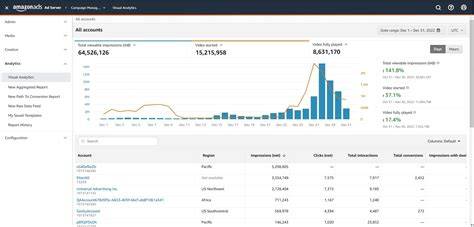
Amazon provides reports that offer valuable insights to improve your campaigns. The Search Term Report shows which queries triggered your ads and how they performed, helping you spot new keywords to target or exclude. The Campaign Performance Report breaks down metrics by campaign and ad group, letting you identify trends and issues. Placement reports reveal where your ads appeared, guiding your bid adjustments. Beyond Amazon’s tools, external analytics platforms can combine data across campaigns and provide deeper insights into trends or competitor activity. Regular use of these reports lets you make informed, data-driven decisions instead of guessing, helping your campaigns evolve with your business and market changes.
How do I scale successful campaigns without losing control?
When a campaign performs well, it’s tempting to increase your budget quickly. Instead, raise budgets gradually—about 10-20% every few days—while watching key metrics like ACoS and conversion rate to ensure profitability stays steady. Add new keywords carefully, based on solid data rather than broad guesses. Keep updating negative keywords to block irrelevant traffic as your campaigns grow. Automation rules or alerts can help you pause underperforming ads quickly. Scaling requires balancing growth with efficiency; slow, steady adjustments combined with close monitoring usually work best.
What common mistakes should I avoid that waste ad spend?
Several common mistakes can drain your ad budget without boosting sales. Not using negative keywords means you pay for clicks from shoppers unlikely to buy. Ignoring poor-performing ads or keywords lets wasteful spending continue instead of shifting budget to what works. Setting unrealistic ACoS targets can cause you to cut profitable campaigns or overspend chasing unprofitable clicks. Running too many campaigns with overlapping keywords causes self-competition and higher costs. Also, failing to regularly review your bids and campaign structure means missing chances to improve. Avoiding these pitfalls keeps your budget focused on ads that drive sales.
Conclusion
Start by looking beyond clicks and impressions—focus on keywords that attract buyers, product pages that convert, and metrics that reveal where your ads need work. Don’t chase vanity clicks that don’t lead to sales, and avoid scaling without solid data. A strong ad campaign depends on ongoing refinement, using Amazon’s reports and a clear campaign structure to keep control. When you see consistent conversions at manageable costs, you know your ads are working—and that’s the time to confidently invest more.
Frequently Asked Questions
How often should I review and adjust my Amazon ad campaigns?
Check your campaigns at least once a week, especially when you’re just starting or after making changes. Frequent reviews help you catch wasted spend early and take advantage of trends. When your campaigns are stable, you can switch to reviewing them every two weeks or monthly.
Can I rely solely on automatic campaigns for my advertising?
Automatic campaigns are good for gathering data and finding keywords you might miss, but relying on them alone limits your control and efficiency. Combining automatic with manual campaigns lets you fine-tune your targeting and bids for better results.
What’s the difference between ACoS and TACoS?
ACoS measures your ad spend against the sales directly generated by those ads, showing how efficient your campaigns are. TACoS compares your ad spend to your total sales, helping you understand how your advertising affects your overall business growth.
How do negative keywords improve my ad campaigns?
Negative keywords stop your ads from showing on irrelevant searches, saving money by cutting out clicks that probably won’t convert. This sharpens your targeting and makes your ads more relevant to shoppers.
Is product page optimization really necessary for ad success?
Yes. Even the best ads won’t convert if your product page doesn’t convince shoppers to buy. Clear images, detailed descriptions, and strong reviews build trust and make shoppers more likely to complete their purchase after clicking your ad.